
Digital Photography Portrait Storytelling
Friday, June 2, 2017
Portrait Storytelling
What makes a person or pet unique and interesting?
It may be what they do, how they do it or even how
they look at the world.
For this challenge you are to choose a person or pet that you find interesting.
(It may be a person with similar interests as you or it may not, it could be someone you know
or would like to know) Focus on what you feel is the most important characteristic or
trait of the subject and create a photo series with 2 or 3 for each OR all 6 of them.
Requirements:
Your final series should include at least 6 photos that complement each other.
At least 1 photo must be in black & white
Your photos should highlight portrait lighting techniques learned in class.
Essential Questions
How can photos be used to tell stories? How can portraits communicate ideas about a person?
In what ways is lighting used to enhance storytelling in photography?
Objectives:
Student will:
- Compose and photograph a series of portraits of one subject that conveys an important
part of their life. (concept)
- Using portrait lighting techniques such as Rembrandt, backlight, and soft focus create
dynamic compositions. (skill)
- Use various camera modes to achieve visually interesting and powerful images.
(technique)
Resources:
Denice Duff - https://youtu.be/K7wlc7Rt5yM
Portrait composition - http://digital-photography-school.com/using-composition-create-powerful-
portraits/
Dorthea Lange - Migrant Farm Families - http://www.historyplace.com/unitedstates/lange
Brandon Stanton - http://www.humansofnewyork.com/
A few strong examples:
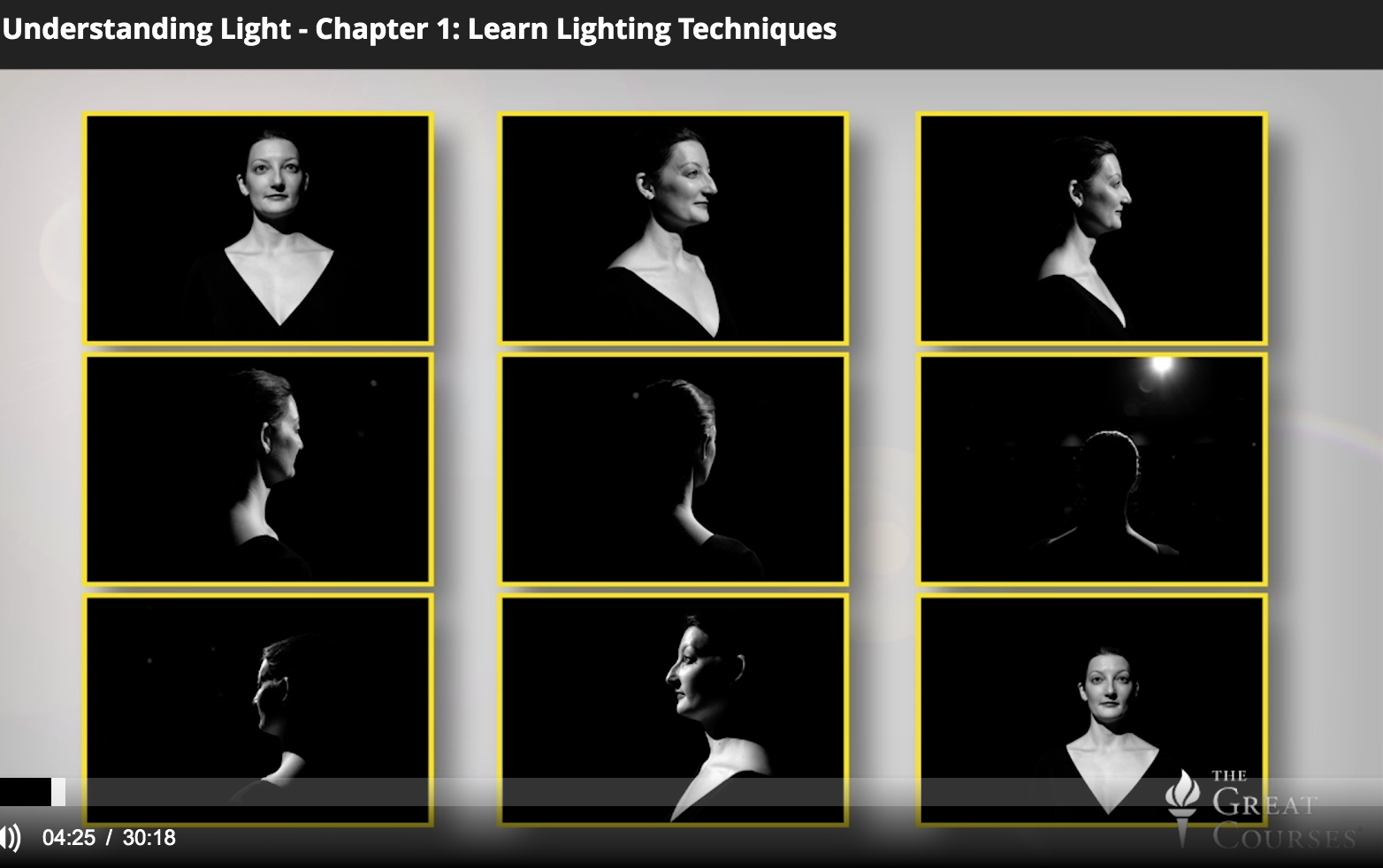
Think about lighting
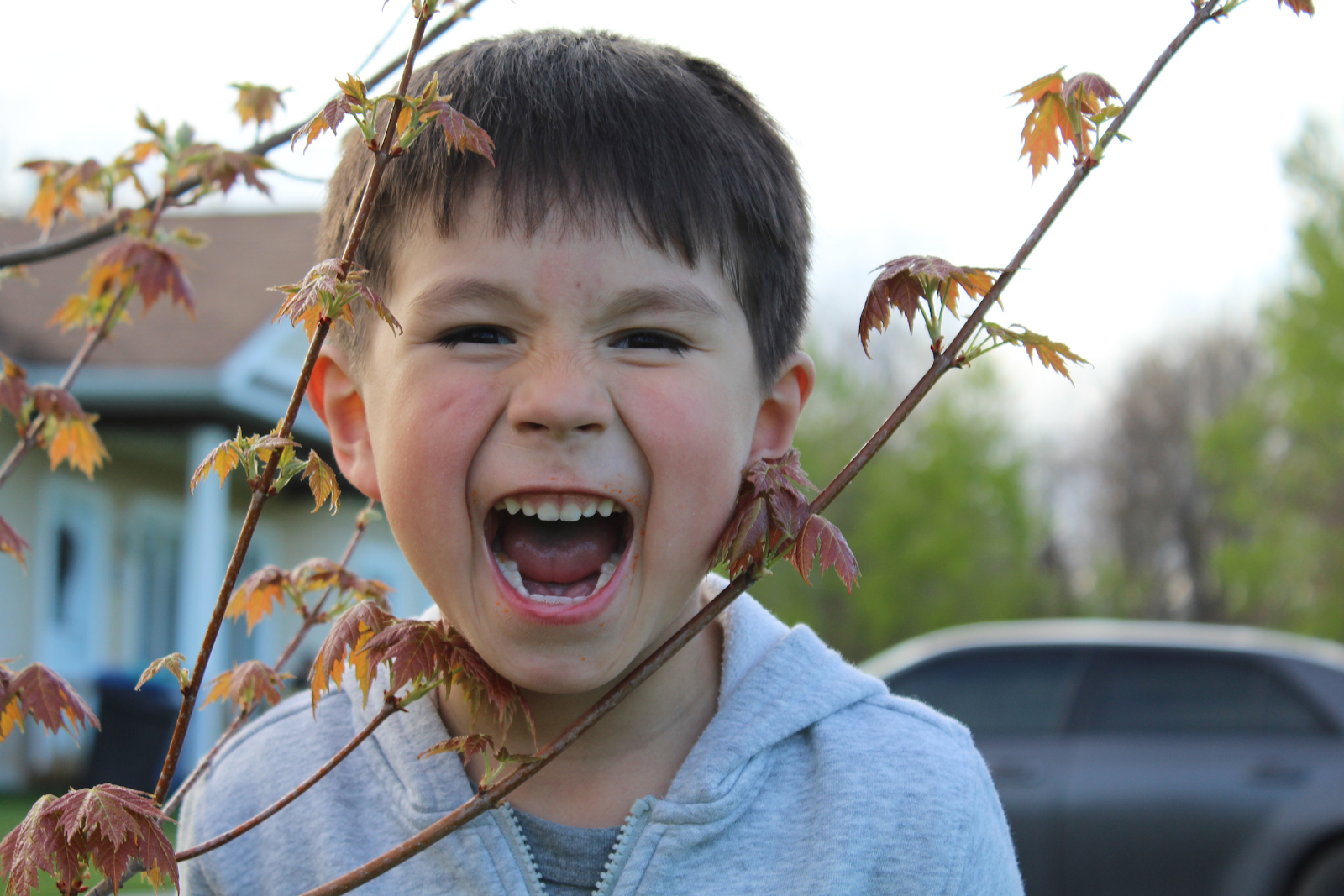
By Aava Adams

By Jack Square
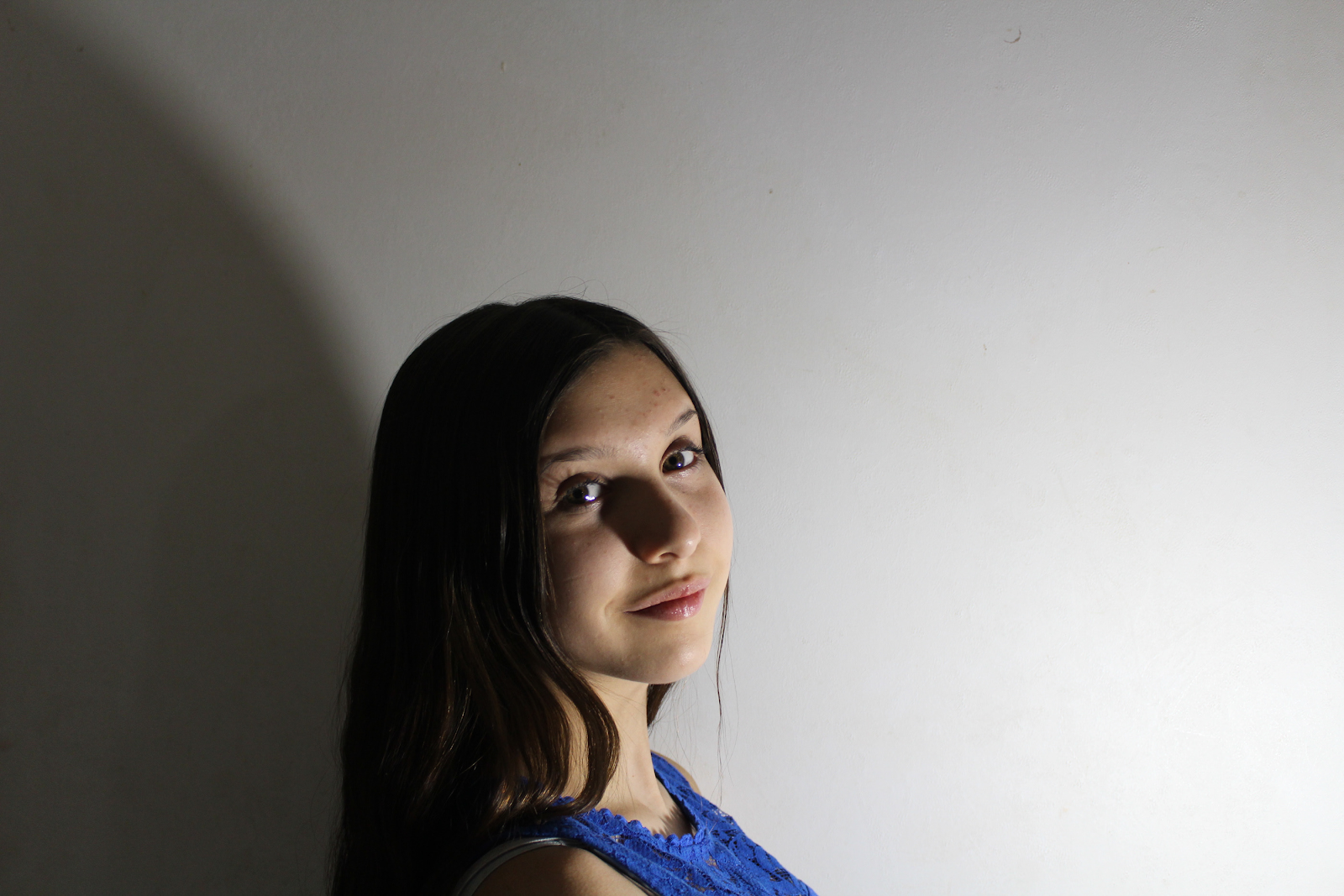
By Tori Thompson
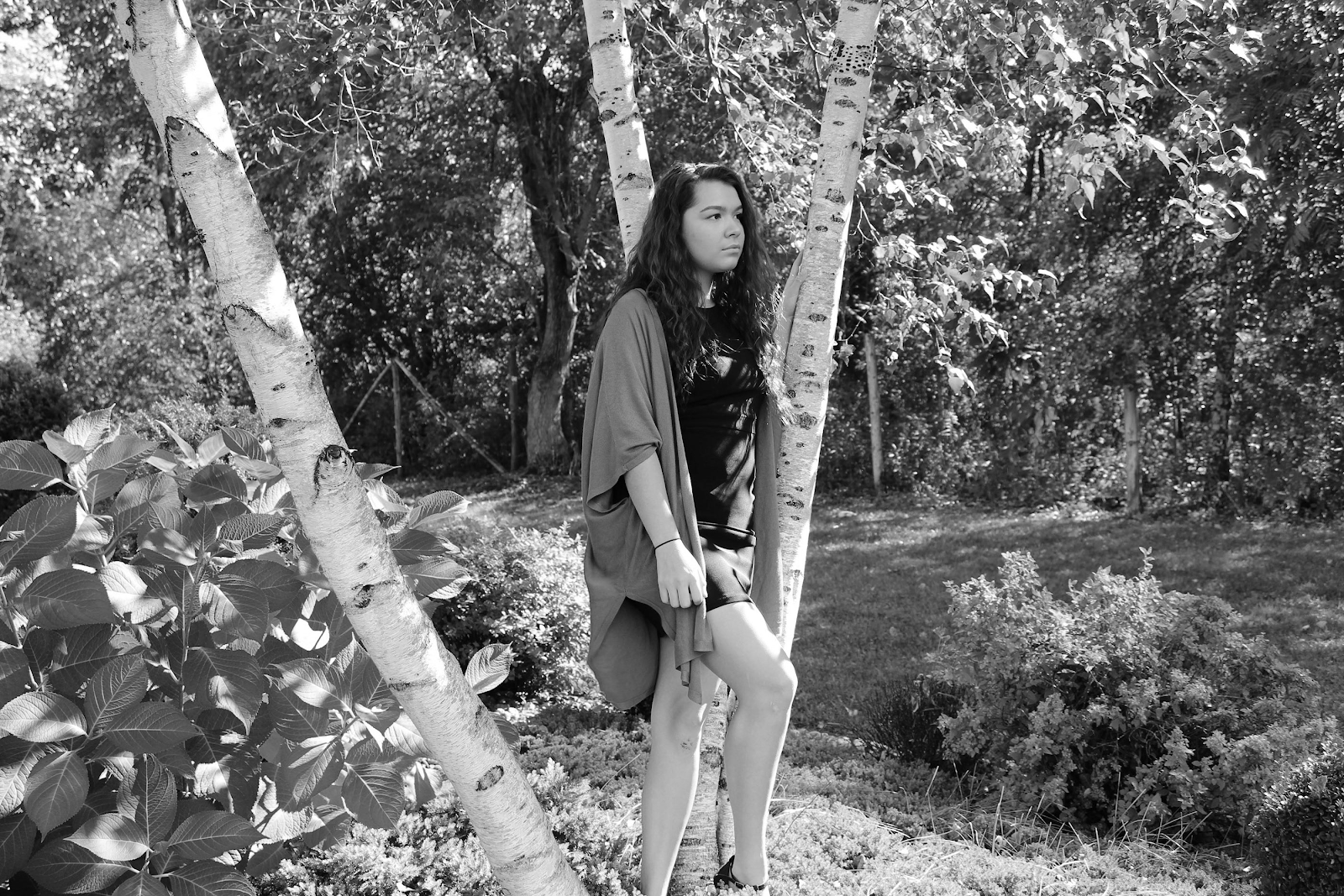
By Kiarra Smoke
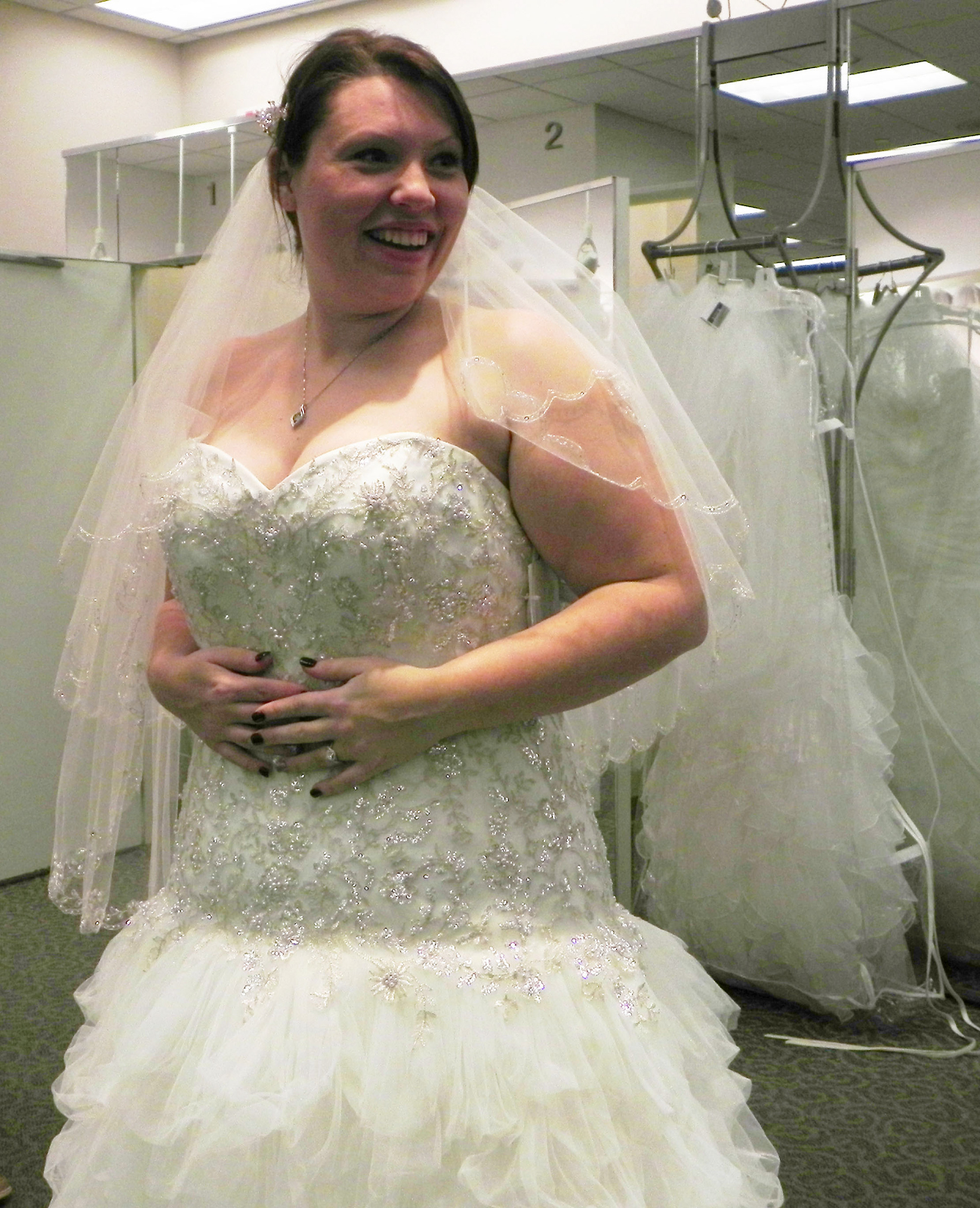
By Dayanara Bero
Art shows
Tuesday, May 2, 2017
North Country Art Teacher's Association, NCATA, explains the importance of the art show at the BOCES building in Canton. https://www.northcountrypublicradio.org/news/story/33677/20170330/using-art-to-promote-life-skills-and-creativity-in-north-country-schools
It's awe-inspiring and award winning art done by kids. More about the Canton art shows. Includes art from 7th graders Sierra and Mia http://www.wwnytv.com/story/35026866/student-art-show-underway-in-canton


It's awe-inspiring and award winning art done by kids. More about the Canton art shows. Includes art from 7th graders Sierra and Mia http://www.wwnytv.com/story/35026866/student-art-show-underway-in-canton

Salmon River Central School Students Featured in Art Exhibit
April 6, 2017
Colonie Gray was the recipient of the first place Mixed Media Award for the high school students.
The 16th Annual Robideau/Lamitie-King Juried Art Exhibit's opening ceremony was held on April 1st at the Wead Library in Malone. The exhibit is dedicated in memory of Norbert Robideau who was a very skilled photographer who followed in his father's footsteps by capturing photos of the Malone community for the last five decades. It is also dedicated in memory of Karen Lamitie-King, an Art Educator in Malone who was known for her great influence on the students she taught. This exhibit features artwork by students from six area schools. Several students from Salmon River Middle and High School had artwork submitted by their teachers (Layla Mayville, Jennifer Backus, and Elyse Lauzon) to be displayed in the exhibit. Many students received awards of recognition for their extraordinary creativity and effort.
Middle School Honorable Mention certificates were awarded to Ananya Gupta for "Swimming Collage", Cooper Monette for "Sculpture", Jordan Keith for "Teen Suicide" and Janna Debyah for "Optical Illusion." The Middle School Drawing Award was presented to MMS student, Olivia Franz, for "Self Portrait." The MS Painting Award was presented to MMS student, Alex Boyea, for "Fiesta." Winning the MS Sculpture
Award was Holy Family student, Samantha Weeks, for "Landscape." Salmon River MS student, Marissa Clute's "Still Life" won the Mixed Media Award. HM winners were presented with certificates and art pencils. Award winners were presented with certificates as well as an art journal and an art pencil set.
High School Honorable Mention Certificates were awarded to FA 12th grader, Elizabeth Merez DeSantiago, for "Tree People"; FA 12th grader, Michael Cox for "Myself"; B-M 12 grader, Hannah Schack-Sehlmeyer for "Trapped in Time"; SR 11th grader, Trysten Burns, for "Paper Cut Portrait;" and a group of three 11th and 12th graders from SR, Kawi Lazore, Fawn Jacobs & Sierra White for "Teacher Portrait." In addition to certificates each HM student was presented with art pencils.
The HS Drawing Award was presented to B-M 12th grader, Heather Hayes, for "Mind Games." 12th Grade B-M student, Patricia Davenport, was presented the HS Painting Award for "Frigid Morning." The HS Sculpture Award was presented to 11th Grade SR student, Blaze Benedict, for "Self Portrait." Grade 11 SR student, Colonie Gray, was presented with the HS Mixed Media Award for "Monochromatic." Each Award winner was presented with a certificate as well as an inscribed wooden plaque with a photograph of their winning entry.
Margaret Lazore, grade 8 student made a nylon wire sculpture.
Also announced at Saturday's reception were the recipients for two annual art scholarships. The Lamitie-King Scholarship was presented by Karen Lamitie-King and was awarded to FA Senior Hannah Garneau who is planning on attending Ohio Tech next year, majoring in graphics, design and paint refinishing. Her goal is to pursue a career in auto body custom painting. Foothills Art Society Vice President, Melissa Benardot, and Arnold Sauther, for whom the scholarship is in honor of, presented the Foothills Scholarship to FA Senior Art Major Elizabeth Meraz De Santiago. Elizabeth has been accepted in the Graphic Design program at Finger Lakes Community College.
The winner of the raffle drawing of the acrylic painting, "Seeing Purple," by Arnie Sauther was Mary White.
Raymond Whalen, illustrator, and Glenn S. Guiles, author, of the children's book "Harriet's Big Adventure" were on sight to meet and greet the students along with a book signing. This event was hosted and made possible by the Foothills Art Society, along with many sponsors and donators. The exhibit will be open for viewing upstairs in the Wead Library from now until April 26th.
Magazine Bowls
Wednesday, January 25, 2017
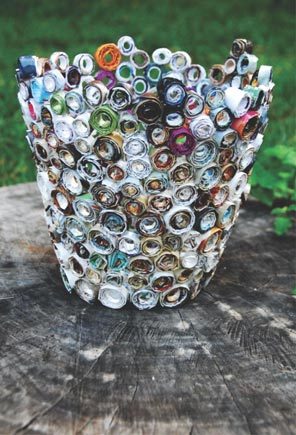
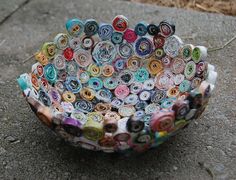
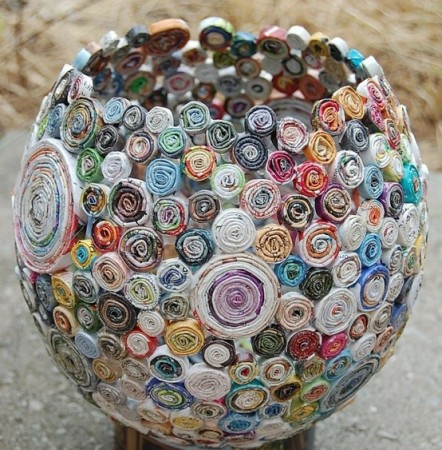
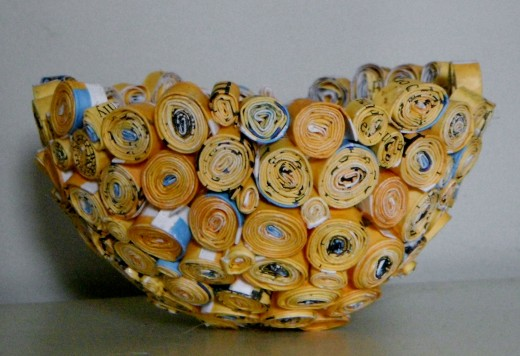
For this project, you can use any type of recycled paper. Magazines and catalogs.
Glue the Strips into Coils: After you have made a few dozen paper strips, you can begin forming coils. It does not matter if you don't have enough strips for the entire bowl because you need to let it dry in stages so the coils do not simply fall off.Gluing the paper strips can get a bit messy, so before your proceed, you should protect your work surface. Depending on how wide you want the coils to be they need to be cut and folded all the same to keep them consistent. The larger coils take much longer to do but look nice as the base or to mix up with in the sides of the vase.
Before opening your glue, blow up and tie off a balloon. I think small round balloons work best, but use whatever shape or size you want for your project - it's yours! Then, place the balloon, tied side down, on top of a glass. -- You do not have to use a balloon to create the shape. For more directions click here:

Andy Warhol/Digital Portraits// Digital Photography
Sunday, November 13, 2016
Andy Warhol/Digital Portraits
Title: Andy Warhol/Digital Portraits// Digital Photography
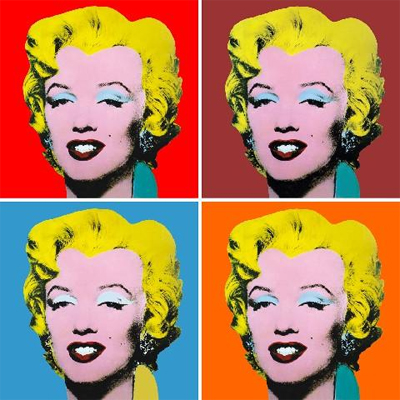
Objective: Students will be introduced to the life and art of Andy Warhol as a way of considering photography as a self-portrait medium. After viewing and discussing other artists’ photographic self-portraits, students will create their own digitally manipulated photos of themselves, family members, or pets.
Questions:
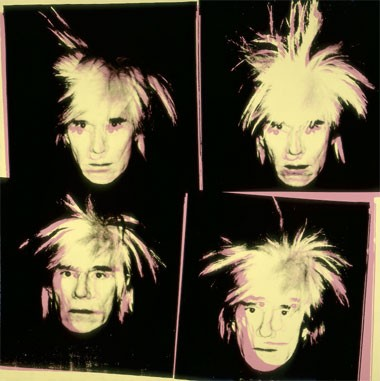
How do you think this self-portrait was made?
Why do you think he included four images of himself rather than one?
Essential Questions: What do you want to communicate about yourself or whoever the portrait is of?
National Art Standards
Anchor Standard 3: Refine and complete artistic work.
Anchor Standard 7: Perceive and analyze artistic work.
Anchor Standard 9: Apply criteria to evaluate artistic work.
Resources:
Materials:
- Smart Board or computer with ability to project images from slideshow
- Student photograph
- Computers equipped with digital-imaging software such as Adobe Photoshop
Background
Andy Warhol became fabulously famous for his 1960s pop art. He produced big, bold images of the popular, the famous, and the stuff of our consumer society. His multi-image portraits of famous people—Marilyn Monroe, Elvis Presley, Jacqueline Kennedy—and of common products—Campbell's soup cans, Coca Cola bottles—are among the most powerful icons of twentieth-century American art.
Andy Warhol was born Andrew Warhola, the son of Czechoslovakian immigrants, in 1928. He grew up poor (during the Depression) outside Pittsburgh, Pennsylvania, with his parents and two brothers. As a child, Warhol (he later dropped the final "a") recalled having a few friends but also feeling "left out." He suffered briefly from a nervous disorder that caused muscle spasms and kept him isolated. He liked spending time on his own, coloring, taking snapshots with a small camera, and even making films with a movie camera given to him by his mother.
After graduating in art from Carnegie Institute of Technology in 1949, he moved to New York City, where he would have quick success as a commercial artist. He designed window displays, illustrated magazine articles, and drew record album jackets. In the 1960s, Warhol decided to abandon commercial art to focus on making serious visual art. While he hand-painted his first works, he soon developed a silk-screen process that allowed his staff of assistants to mass-produce the startling images of consumer products and brilliant movie star portraits. These works took the art world and the public by storm. In this self-portrait, he used four photographic images of himself (with his trademark “shocked” hair) and silk-screened them, off-kilter, onto a 6-foot square canvas. The result is four big heads, set in supercharged pink and yellow against a glossy, dense black background. The effect is intense and unsettling. He was also a pioneer in computer-generated art using Amiga computers that were introduced in 1984
Pop Art Inspired Computer Directions:
- Open up Adobe Photoshop, New file
- US Paper, Letter, size 8X10 inches, 300 Pixels per inch DPI
- Next, open up your saved portrait. Crop using the Marquee tool or crop tool to eliminate any areas of the photo you don't want to keep, Image (top bar) Crop.
- Image (top bar) resize image to make it bigger or smaller using the Percent option until it is a good size for your Pop Art lesson.
- Ctrl A (select all), Ctrl C (copy), then go to the new document and Ctrl V (paste).
- Another option is to use Free Transform which is under Edit (top bar) then drag the corners of image to resize
- If too big or too small Ctrl Z (undo)
- View (top bar) Rulers
- Click and drag blue guidelines from side and top to find the middle of your page
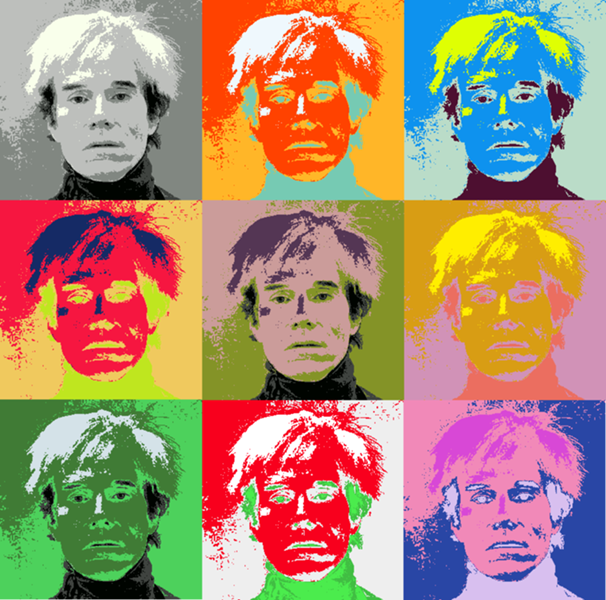
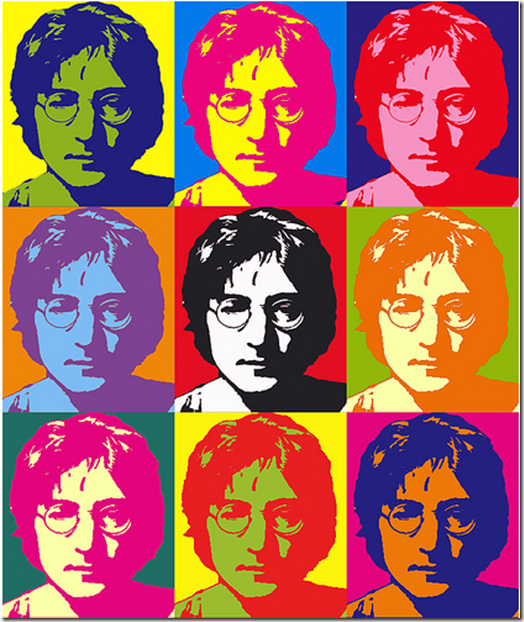
- Once you are happy with the image size. Ctrl V (paste) however many images you want either 4, 6, or 9
- Move the different layers with the Move arrow tool, use the eyes in the layers to figure out which layer is active.
- Use the filter tools to change the images so that each image has a different effect or use other options in the Image, Adjustments (top bar) to change the color balance, brightness, contrast, invert, etc
- Ctrl + Z (Undo) or the History window (top bar view and click History if the window is not open already) to undo anything.
Save As - Photoshop PSD file (saves layers) onto your student H: Drive!!
Flattened files when you are finished: PDF (for Adobe Reader), JPG (image no layers),TIFF (usually for websites, no layers)
DO NOT SAVE TO YOUR DOWNLOADS FOLDER!
Digital Photography Lessons
Tuesday, September 6, 2016
Digital Photography Class Lessons Outline
Introduction:
PowerPoint presentations
Worksheets
Create a Portfolio: Set up https://www.behance.net/ Accounts + follow other classmates OR Create a Google Drive photography folder and share it with me.
Portraits:
Watch Videos talking about composition, angle, and lighting
COVID Flay Lay - 1 photo
Line- Elements of Art
Using all of your gained skills and techniques, take a series of photographs where line is the emphasis.
Share 3 of your best photos
What is it?
Create 3 abstract photos by doing a close up photo or cropping + critique (comment on other classmates photos) This lesson teaches students how to use manual and automatic focusing

Create 3 abstract photos by doing a close up photo or cropping + critique (comment on other classmates photos) This lesson teaches students how to use manual and automatic focusing
Depth of field Lesson:
Take at least 2 different photographs considering composition.
1 photo should have the foreground in focus with background out of focus
1 photo should have the foreground out of focus with background in focus
Student can use the flower setting, aperture priority, or full manual to take photos.

Apple Store Debate Reading
Motion Photography -- experiment with the different shutter speeds to capture one image that is Frozen in time and one with Blurred Motion.
Canon Rebel Shutter Priority setting is the Tv dial, Nikon is the S setting. Fast shutter speeds make the moving object appear "frozen in time", Slow shutter speeds create a blurred look.
Shadow, light, reflections, and silhouettes
Take 5 photos, You many choose shadow, light, reflections and/or silhouettes Watch Videos talking about composition, angle, and lighting
Reflection - quiz grade
Seeing from All Angles
Find an object of interest.
Pick a location for your photo shoot with good lighting and with little distractions.
Start shooting and pay attention to where your camera is focusing. Fill your frame and get close to your subject. Your goal is to get every side of the object you chose.
Shoot at least 6 different angles, but try to get all of them!
When you edit your images, put all of them into a collage first and then edit the whole thing together, so the images are consistently edited.
Turn in a collage of 6-9 shots.
Objects neatly arranged
You can use basic office/household supplies, candy, noodles, art supplies, buttons or anything
you have a lot of and a simple color paper background to create images that highlight shape,
repetition, pattern and symmetry. It would be a good idea to shoot with the 1:1 ratio Square format.
Edit one picture to perfection, and then when you open up your next picture to edit,
choose "last edits" under the "looks" section of Snapseed, so your pictures are edited all
in a consistent way.
You will then create a GRID collage of 9 images in PicCollage so that they look like a grid.
All About Me
Tell a visual story about who you are.
5 photos.
Things they can take photos of include but can be anything really:
Pets, family, teachers, music they like, sports, culture, artwork, jewelry, clothes, food, candy, books,
where you live, things from your childhood, etc.
Write about why you took each photo - quiz grade
FINAL PROJECT
Explore all the resources on Art with Layla, Digital Photo, Resources:
Explore Behance.net for inspiration
1. Include at least 5 photographers that inspire you
2. What themes you want to explore for your final project, like portraits, nature, still life, abstract
3. List of specific photos you plan to take pictures of for your final project - my pets, tree branches, rocks stacked
Then once you have done your research and planned out what you're interested in go take 20 photos.
End of the year evaluation/reflection:
_________________________________________________________________________________
Other Possible Lessons:
Alternative Photography- 4 photos
Abstract Composition - 4 photos that show TEXTURE
Career Readiness
http://www.allartschools.com/photography-careers-that-pay/
http://www.allartschools.com/photography/photography-training/
***define a unique photography stylehttp://www.allartschools.com/photography/photography-training/
Pop art portrait inspired by Andy Warhol
http://artwithlayla.blogspot.com/2016/11/andy-warholdigital-portraits-digital.html
Pet portrait inspired by Dean Russo
Humanae portrait (not yet)
http://www.angelicadass.com/humanae-work-in-progress/
https://www.ted.com/talks/angelica_dass_the_beauty_of_human_skin_in_every_color
https://www.youtube.com/watch?v=NiMgOklgeos
Humanae portrait (not yet)
http://www.angelicadass.com/humanae-work-in-progress/
https://www.ted.com/talks/angelica_dass_the_beauty_of_human_skin_in_every_color
https://www.youtube.com/watch?v=NiMgOklgeos
Social Justice Advocacy
Framing a Subject
Take at least 5 different photographs using framing in the composition.
SAMPLES BELOW

Jordi.koalitic ideas:
https://www.facebook.com/jordi.koalitic


Still-Life Lesson
Subscribe to:
Posts (Atom)


